ZIPTEAMS × ZIPME CALENDAR
zipme.at – Best free calendly alternative
Zipme.at is a powerful calendly alternative that can easily be setup in minutes

Here are the steps to get your own zipme.at link in minutes:
Signup on
Zipteams
.
Go to
My Workspace > Integrations >
Click on
‘Configure’
against
zipme.at calendar booking
Click on
Add New Event
Setup your calendar booking event as per your needs and save the event.
Go to
My Workspace > Manage Teams
Add the zipme.at event
tag
to yourself or the users who should get meetings from the event (in case of round robin scheduling)

That’s it, you are all set to start using your
zipme.at meeting scheduling
. Copy your link from the settings and start using it.
Features of zipme.at meeting scheduling:
Get your business and personal https://zipme.at/<yourorganization>/<yourname> meeting scheduling link in minutes

Setup multiple events for your team members branded in your organization’s name

Setup your work schedule and time slots as per your convenience
Setup round-robin scheduling for team specific events for your demos or inbound meeting scheduling

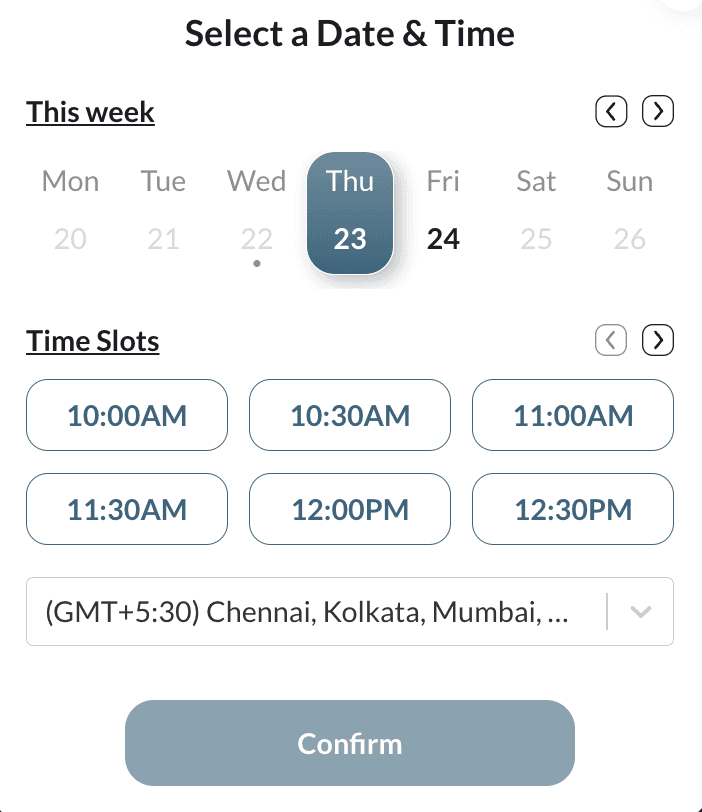
Your guests can see the options as per your setup and can choose a slot as per their convenience.

Meeting invites and reminders are sent to your guests automatically that they can add to their Google or Outlook calendars.
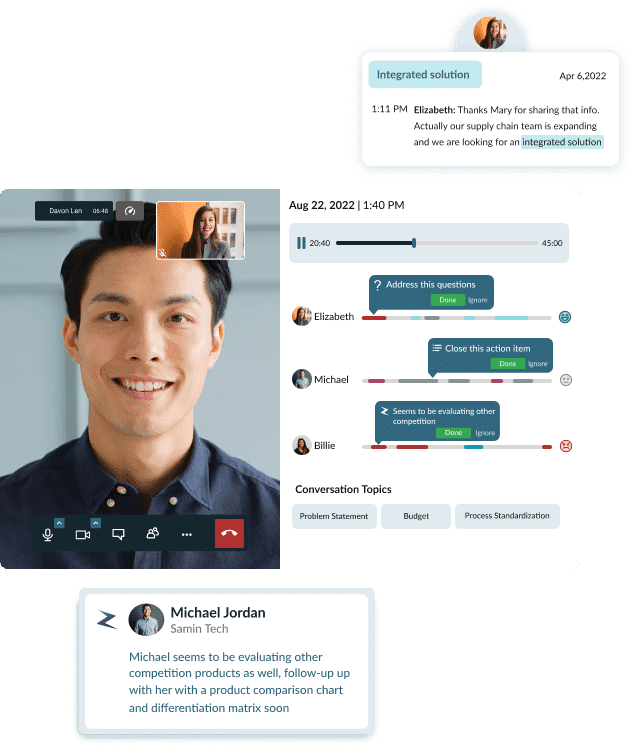
Meeting rooms have smart AI-powered insights about the visitors to talk to them contextually and in a personalized manner. Your sales team members have these insights everytime they meet a website vistor.

Auto-recording of all calls with unlimited storage options.